
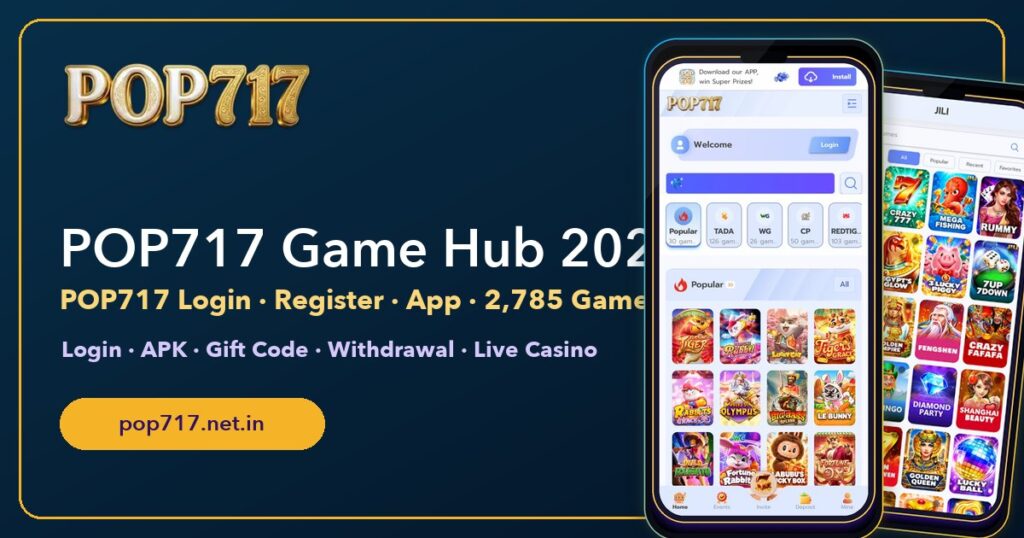
POP717 App Download for Android & iPhone
The POP717 app download takes about a minute and doesn’t need the Play Store. On Android you install it from the Install bar on pop717.com; on iPhone you add it to the Home Screen from Safari. This page covers both, explains what a safe POP717 APK looks like, and lists what to do if an install goes wrong.
Already installed? Go to the POP717 login page, or read the POP717 hub for the full tour.
1 min
Install time
0
Play Store needed
2
Languages
1
Account for app + web
The real POP717 site is already open here. Scroll inside the phone, or open it full screen to sign up.
Android: Install From the Official Bar
- Open pop717.com in Chrome.
- At the top you’ll see Download our APP, win Super Prizes with an Install button. Tap it.
- Confirm the install prompt.
- Open POP717 from the new icon and log in once.
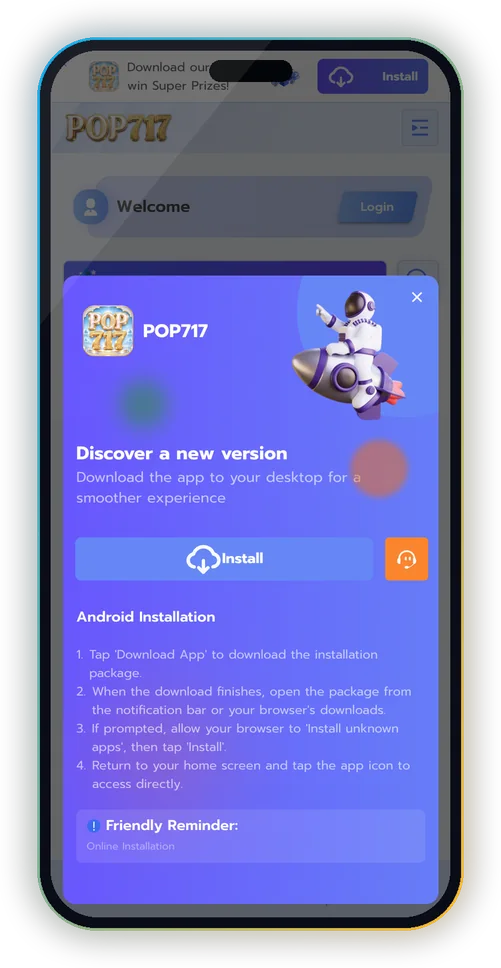
If Chrome shows Add to Home screen instead of Install, that works too: it’s the same app, same account.
iPhone: Add to Home Screen
- Open pop717.com in Safari (Chrome on iPhone can’t add web apps the same way).
- Tap the Share button.
- Choose Add to Home Screen, then Add.
- Launch POP717 from the icon; it opens full screen without the browser bars.
App or Browser: What Changes?
| POP717 app | Browser | |
|---|---|---|
| Account | Same | Same |
| Opens from | Home screen icon | A tab |
| Stays signed in | Yes | If Remember password is ticked |
| Screen space | Full screen | Browser bars take space |
| Updates | Automatic | Automatic |
Is the POP717 APK Safe?
The safe APK is the one you get from the official Install bar. Files shared in Telegram or WhatsApp groups can be modified to capture your password. Use this checklist:
- It came from pop717.com, not a chat group.
- It didn’t ask for SMS, contacts or accessibility access.
- It opens the same Welcome bar and provider tabs you see on the website.
- Nobody asked you to pay to ‘unlock’ a bonus inside it.
Installed a suspicious file?
| Step | Why |
|---|---|
| Uninstall it | Stop it reading anything else |
| Change your POP717 password | In case it captured it |
| Change reused passwords | UPI, email |
| Reinstall from the official bar | The genuine POP717 app |
Install Problems and Fixes
PROBLEM
No Install button
Why: You opened the site inside WhatsApp or Telegram.
Fix: Open pop717.com directly in Chrome (Android) or Safari (iPhone).
PROBLEM
Icon opens a blank page
Why: The saved session expired.
Fix: Open pop717.com in the browser, log in, then reinstall.
PROBLEM
App shows Hindi
Why: Language was set to Hindi.
Fix: Mine → Language → English.
PROBLEM
Storage full
Why: Not enough space for the install.
Fix: Free a little space; the web app itself is small.
First Things to Do in the App
| Minute | Do this | Why |
|---|---|---|
| 1 | Log in | Your session stays saved |
| 2 | Mine → Security Center | Protect the account |
| 3 | Events → Pending/History | See your signup reward |
| 4 | Mine → Language | English or Hindi |
| 5 | Pick one game from Popular | Learn at the lowest stake |
Frequently Asked Questions
Is the POP717 app free?
Yes, installing it costs nothing.
Is POP717 on the Play Store?
No. Install it from the official Install bar on pop717.com.
Does the app use the same account as the website?
Yes, the same username, password and balance.
Can I install POP717 on iPhone?
Yes, through Safari → Share → Add to Home Screen.
Why does the app ask me to log in again?
Browser data was cleared. Log in once and tick Remember password on your own phone.
Explore More of POP717
The full POP717 hub
Username sign-in, answered
Your first 10 minutes
Signup bonus, codes and Events
Wallet, play-through, My Orders
138 tables, crash, cards, fishing
Support, Security Center, scams
Invite Center and commission
POP717 and other app screens
Get the POP717 App
Open pop717.com and tap Install, or add it to your iPhone Home Screen.
18+ only · Real-money games carry financial risk · Play within limits · Help: Tele-MANAS 14416